VERIFIED
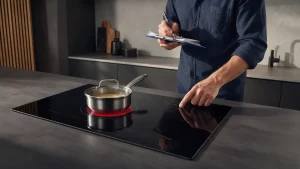
Of all the induction hob codes, ER03 is the one most likely to be caused by something sitting on the hob. The manuals call it protection against unintended operation, and the fix is usually in your hands.
What triggers it
Bertazzoni’s installation and user manual describes the hob’s electronics watching its touch buttons. If a button is held down for approximately 10 seconds, the hob switches off by itself, gives an audible error signal, and shows ER03. Two manuals list the situations like this:
- no pot on the zone, or a pot that is not suitable
- water, or a pot, on the glass above the controls
- on the hob models in the PE244HB / PE304HB / PE365HB manual, water or pans on the user interface, with the hob switching off after 10 seconds
What to do
- Lift anything off the control area: pans, lids, cloths, spilled liquid.
- Wipe the glass over the controls clean and dry.
- If a pot is on a zone, replace it with one that suits induction cooking; with no pot on the zone, put one on.
- Touch the controls again and start over.
The manual mentions that if the hob is still hot, the display alternates the hot-surface indicator with the error code. That is separate from the fault: it is a reminder that the glass is warm.
When it stays
If ER03 appears on a clean, dry, empty control area with a suitable pot, the manuals give no further owner step. In the PE-series manual, codes starting ER refer to the entire hob.
Codes next door
- ER21: another protection stop tied to the control glass, this time for heat
- F1: a communication fault between the display board and the mainboard
Hob controls: service in San Francisco
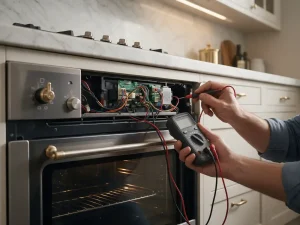
If ER03 keeps appearing even though the glass is clean and clear, call (415) 692-0756 for Bertazzoni cooktop service in San Francisco.
Model compatibility: Bertazzoni reuses codes across series and model years, so ER03 may mean something different on another appliance or generation. Confirm this against your model’s documentation and record your full model number before acting.